01
Connect
Authorize Tendro against your HubSpot account over OAuth 2.0. No CSV pipeline, no keys to manage.
Integrations / HubSpot
CRM integration
Tendro scans the badge, enriches it, and upserts a HubSpot Contact before the rep walks away. The rep's answers and notes land in a note on its timeline.
Desk trial: test scans and real enrichment at your desk. HubSpot sync starts with your first paid event. No credit card.
Metalworks
ExpoExhibits · Conference
Jordan
Ellis
Director of Operations
Northwind Industrial Supply
REG 4471-2093
Attendee
Jordan EllisDirector of Operations · Northwind Industrial Supply
Note · Tendro Lead Capture — Metalworks Expo
§ 01 · Sync
Each scanned lead with an email upserts a HubSpot Contact in under 10 seconds. The rep's answers and notes land in a note on its timeline.
IN TENDRO
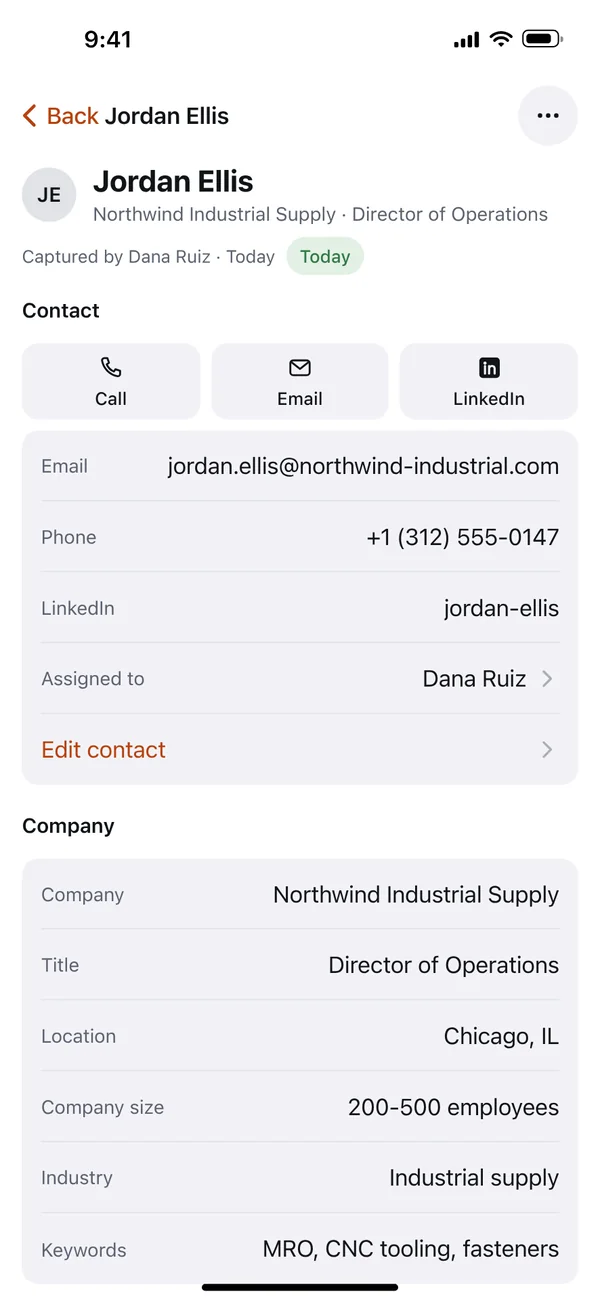
LinkedIn stays in Tendro by default.
IN HUBSPOT
HubSpot · Contact · Jordan Ellis
Note On the Contact
Tendro Lead Capture — Metalworks Expo
Project: New warehouse
Go-live: Q1 2027
Notes: Wants pricing on two palletizing cells for the Joliet warehouse. Budget's approved. Send the spec sheet after the show.
Tag: hot
Captured by: dana@arcline-robotics.com
Assigned to: dana@arcline-robotics.com
Associated HubSpot Lead · Jordan Ellis - Northwind Industrial Supply
The Contact write is HubSpot's batch upsert, keyed on email. Three reps scanning the same prospect still land on one Contact, and Tendro sends only the Contact fields it has values for, never a blank.
The Contact owner is the first rep who matches one of your HubSpot users by email: the one the lead is assigned to, then the one who scanned it. With no match, Tendro leaves the owner as it is.
When the rep answers your qualifying questions or adds notes, they go into one note on the Contact with the tag and who captured the lead, headed with the show's name. Later edits update that same note while it still has answers or notes.
On Sales Hub Pro or Enterprise, each show also gets a HubSpot Lead linked to the Contact, named for the person and company, labeled from the tag and typed New Business by default.
The app is listed on the HubSpot App Marketplace as Tendro Universal Event Lead Capture.
§ 02 · Duplicates
No. Tendro upserts on email, so a buyer scanned at two shows stays one Contact. Each show's answers and notes land in a note of their own.
Plant Ops Forum
Jordan Ellis
Director of Operations
Northwind Industrial Supply
SEPTEMBER
Metalworks
ExpoExhibits · Conference
Jordan
Ellis
Director of Operations
Northwind Industrial Supply
REG 4471-2093
Attendee
MARCH
HubSpot · Contact · Jordan Ellis
Tendro Lead Capture — Plant Ops Forum
Project: Expansion
Captured by: sam@arcline-robotics.com
Tendro Lead Capture — Metalworks Expo
Project: New warehouse
Captured by: dana@arcline-robotics.com
Two shows, one Contact: a note from each show, and on Sales Hub Pro a Lead from each. Contact properties update with each scan.
Inside one show, a second scan of the same badge updates the lead Tendro already has, and its sync updates that show's saved note.
The Salesforce integration checks Leads by email before creating one, with a completed Task where HubSpot has a note.
§ 03 · Field mapping
First and last name, email, phone, company, job title and owner on the Contact, and the answers in a note. Map any question to a property.
IN HUBSPOT
IN TENDRO, ON THE WEB
Import Fields from HubSpot
Project · Contact field · 3 options
Field names and options will be matched automatically.
ON EVERY REP'S PHONE
BackJordan Ellis
Custom fields
ProjectNew warehouse
Once imported, each answer writes to Jordan's Project property and still shows in the note.
Your qualifying questions can write straight to your own properties. Import a dropdown property from HubSpot once and it becomes a question on every rep's phone, with the same options, mapped back automatically.
Most other Tendro fields map to a standard or custom property too, including the show's name. The mapping screen doesn't offer company size, industry or keywords.
§ 04 · Offline
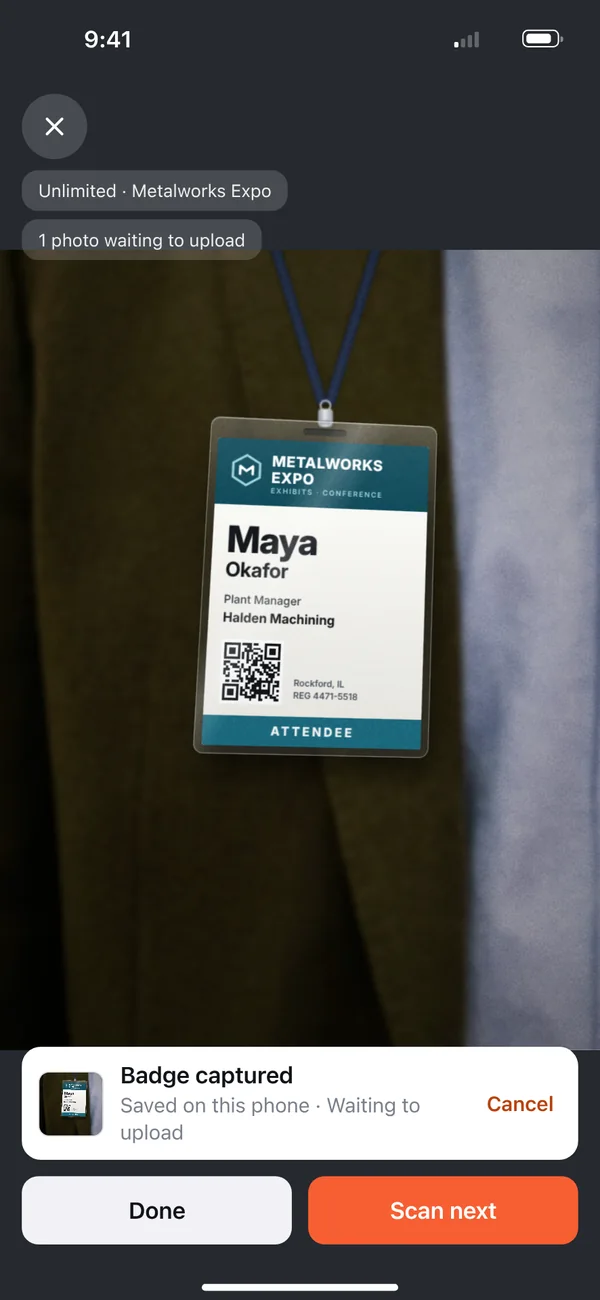
Scans queue on the phone when the signal drops. A retried upload can't create a second scan, and the email upsert keeps one Contact.
No signal: saved on the phone.
Signal back: uploaded.
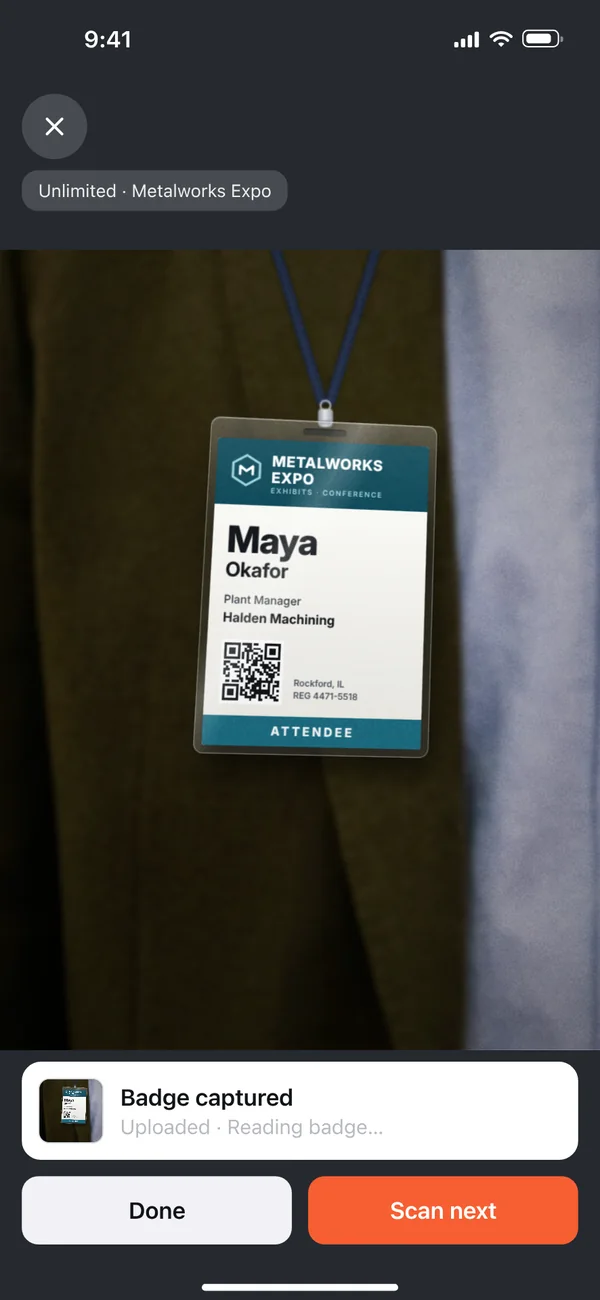
Show floors run on congested WiFi and blocked carrier signal at peak. Every badge photo saves in the app first, so the line keeps moving while a prospect is still in front of you.
When the connection returns, queued photos upload in the order they were taken. Each lead with an email syncs to HubSpot after Tendro reads the badge and runs enrichment. More on offline badge scanning.
§ 05 · Setup
Authorize Tendro over OAuth, keep the default properties or map your own, and import any dropdown as a question your reps answer.
01
Authorize Tendro against your HubSpot account over OAuth 2.0. No CSV pipeline, no keys to manage.
02
Name, email, phone, company, job title and owner work out of the box. Tendro reads your custom properties, so you can map questions and other supported fields to them.
03
Import a HubSpot dropdown and it becomes a question on every rep's phone, with each answer mapped back to that property.
04
Reps scan badges on their own phones. Leads from each paid event sync on their own.
§ 06 · Attribution
Every note names its show. For reports, map Tendro's Event Name to a property, on the Contact or on each show's HubSpot Lead.
On Sales Hub Pro or Enterprise, map it to a Lead property: each show gets its own HubSpot Lead, so each one keeps its own show name. Mapped to the Contact, the property holds the show from the most recent sync.
In HubSpot's custom report builder, Deals can be grouped by a property of their associated Contact, so a mapped Event Name groups pipeline by the show from each Contact's most recent sync.
With automatic company association on, HubSpot links Contacts to Companies by email domain. When a badge has no email, Tendro's enrichment looks for the work address.
§ 07 · Pricing
$499 per event with unlimited team members, phones, and scans. Every integration included. Compare that to $400 to $700 per rented device.
One flat rate covers the whole booth staff. No per-seat license and no per-device rental, and the app travels to the next show while the rental stays behind.
Volume discounts start at 10+ events: flat per-event pricing that drops as you add shows. The free desk trial tests real scans and enrichment at your desk, no card; HubSpot sync turns on with your first paid event.
§ 08 · Last call
One app. Every event. No hardware rentals.