§ Demo · 15 minutes · live
Bring any show badge. Watch it land in your CRM.
15 minutes, live: we scan a badge, answer your qualifying questions, send a recap, and watch the lead land in HubSpot or Salesforce with its note.
Summit HVAC Week
Sam Okafor
Ridgeline Mechanical
Harborline Pack Show
Elena Sorto
Kestrel Packaging
Prairie Food Tech Expo
Marcus Webb
Tidewater Foods
Northfield Dental Meeting
Priya Nair
Clearbrook Dental Group
Metalworks
ExpoExhibits · Conference
Jordan
Ellis
Director of Operations
Northwind Industrial Supply
Chicago, IL
REG 4471-2093
Attendee
- Sam Okafor · Ridgeline MechanicalTendro Lead Capture — Summit HVAC Week
- Elena Sorto · Kestrel PackagingTendro Lead Capture — Harborline Pack Show
- Marcus Webb · Tidewater FoodsTendro Lead Capture — Prairie Food Tech Expo
- Priya Nair · Clearbrook Dental GroupTendro Lead Capture — Northfield Dental Meeting
- Jordan Ellis · Northwind Industrial SupplyTendro Lead Capture — Metalworks Expo

Now every scan is in the CRM the same day.
Jay · CEO, Udext
Pick a time15 min · Google Meet
No time works? Email hello@tendro.com
§ 01 · The 15 minutes
What will you see in 15 minutes?
A badge scan, your questions and the follow-up question an answer triggers, a voice note, a recap, then the lead in HubSpot or Salesforce.
- Scan
- Qualify
- Follow up
- In your CRM
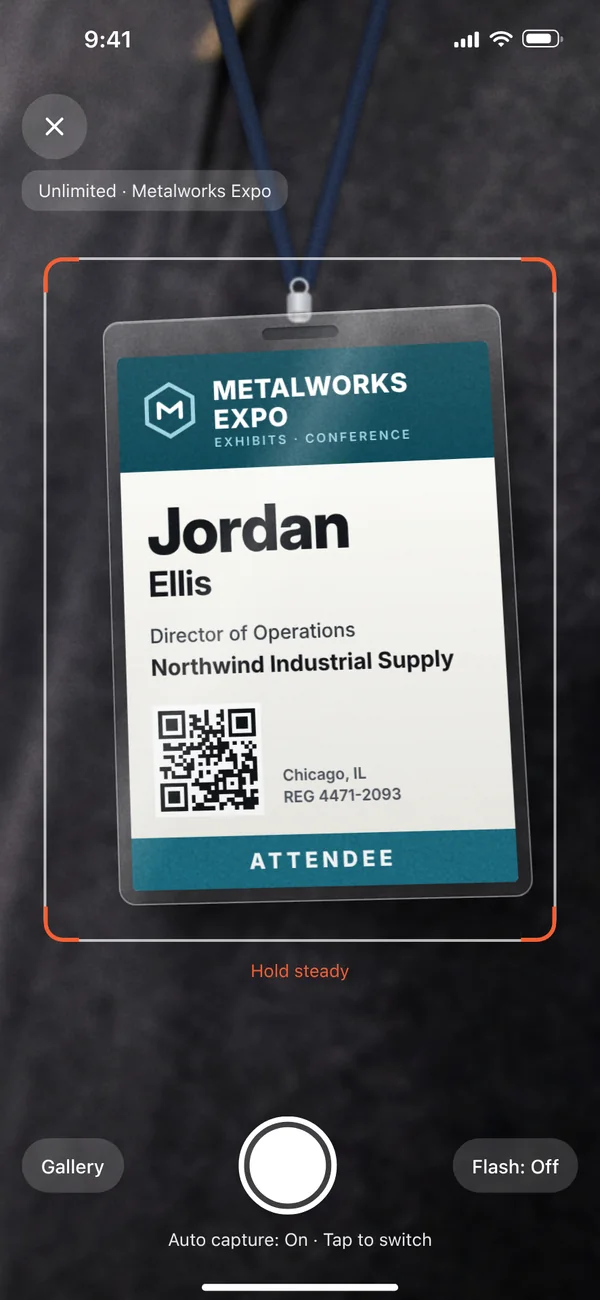
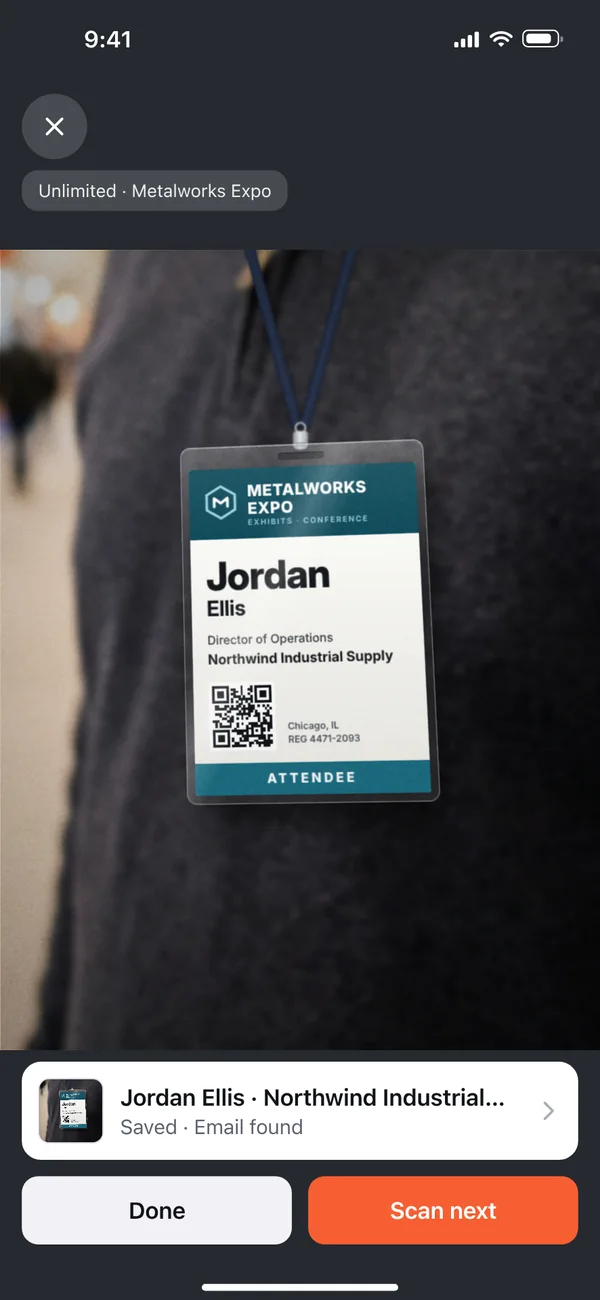
Photograph the badge
Dana photographs the printed badge. Tendro reads it and finds Jordan's email.
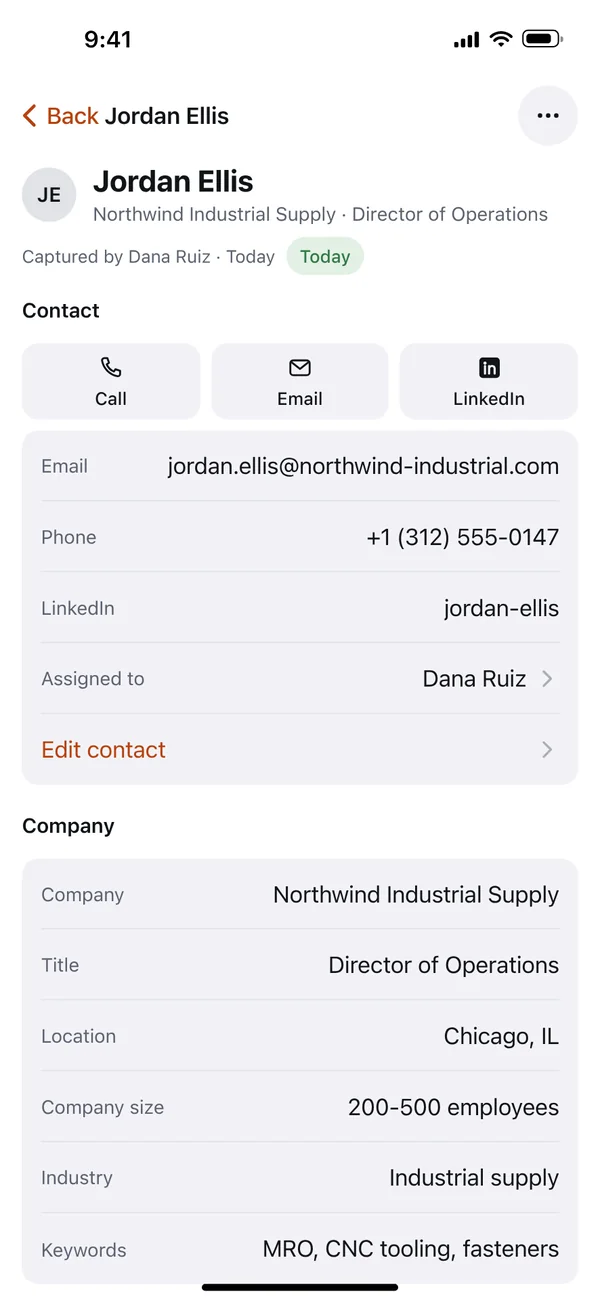
The contact fills in
Email, phone, LinkedIn and company details, assigned to Dana.
One answer opens the next
Your qualifying questions, answered in a few taps. The answer to Project opens a follow-up, Go-live.
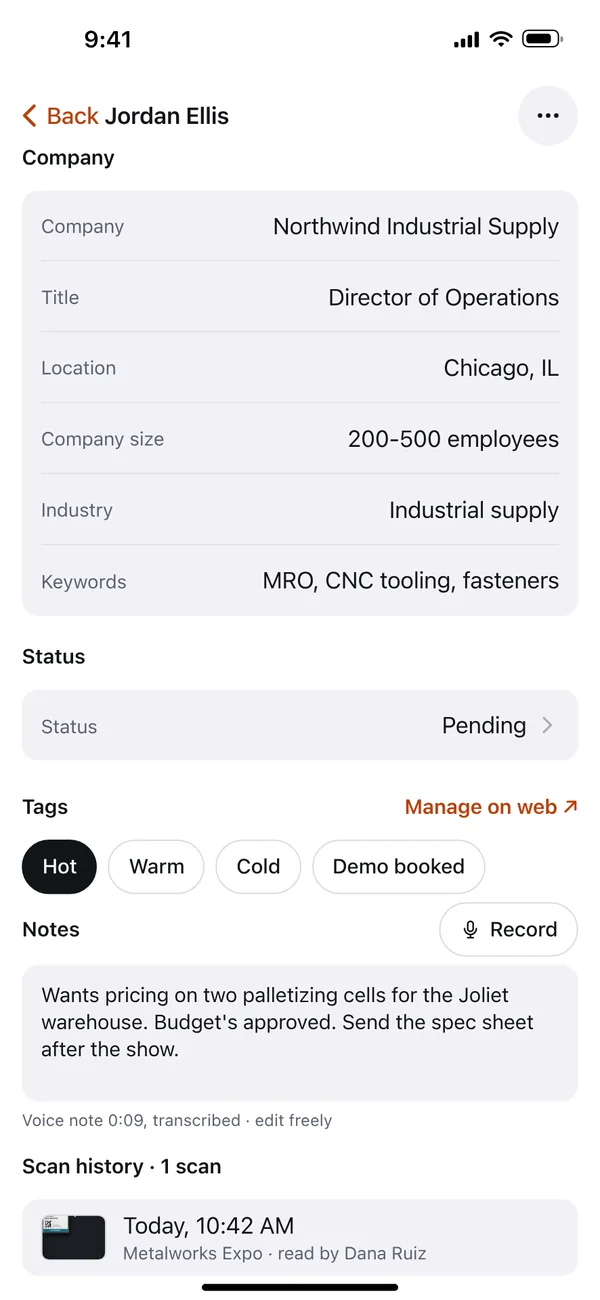
Tagged and transcribed
Tagged Hot. A nine-second voice note is transcribed into Notes.
Nothing sends on its own
A recap email to Jordan with Dana's card and booking link. It goes out when the rep taps send.
The same lead, in HubSpot
A note with your answers, the voice note and the tag. Salesforce gets it as a task.
 Recap for Jordan EllisMetalworks ExpoEditTo: Jordan EllisSubject: Great meeting you at Metalworks ExpoAArcline RoboticsHi Jordan,Great to meet you at Metalworks Expo. Here's how to reach me.Dana RuizSales Engineer, Arcline Robotics+1 312 555 0182Book a time · Save my contactCaptured with Tendro · UnsubscribeSend nowSend in 10 minSkip
ProjectNew warehouse
↳ Go-liveQ1 2027Asked because of the answer above
Tendro Lead Capture — Metalworks Expo
Project: New warehouse
Go-live: Q1 2027
Notes: Wants pricing on two palletizing cells for the Joliet warehouse. Budget's approved. Send the spec sheet after the show.
Tag: hot
Captured by: dana@arcline-robotics.com
Assigned to: dana@arcline-robotics.com
The phone screens are the real app, the same ones on the Tendro app page. What lands in each CRM is on the HubSpot and Salesforce pages, and the recap is covered in automating trade show follow-up.
§ 02 · The team
Who's behind Tendro?
We come from Socio, the event app that became Webex Events, and built event software for Microsoft, Google and Nike.





“Events used to mean chaos after the booth: manual CRM entry, lost follow-ups. Now every scan is in the CRM the same day, and follow-up goes out while the show is still running.”
 Jay · CEO, Udext
§ 03 · After you book
What happens after you book?
You get a calendar invite with a Google Meet link. Send a photo of any show badge and your booth questions. We scan it and build them live.
- 01The invite
A calendar invite with a Google Meet link, for the time you picked.
- 02Your badge and questions
Reply with a photo of a badge from a show you work (last year's is fine) and two or three questions you ask at the booth. No badge? We use a sample.
- 03Live, in our CRM
We scan your badge, build your questions live, and you watch the lead land in our HubSpot or Salesforce.
§ 04 · Straight answers
Quick answers before you book
How long is the demo?
15 minutes, live. We scan your badge, or a sample, and you watch the lead land in HubSpot.
Do I need to prepare anything?
No. A photo of a badge from a show you work and two or three booth questions help. If you have neither, we use a sample.
Can you show Salesforce?
Yes. Tell us when you book and we run the demo in our Salesforce instead of HubSpot.
Will you cover pricing?
Yes. $499 per event with unlimited team members, volume discounts from 10+ events, and how the free desk trial works.
What do I get in the free trial?
25 test scans with real enrichment at your desk, no credit card. CRM sync starts with your first paid event.
Who helps us after we buy?
Every customer gets onboarding with their booth team and a dedicated support rep. If you use a CRM we don't support yet, we build the connector before that call.
Rather try it yourself?
Free desk trial: 25 test scans with real enrichment, no card.
The rate card is on the pricing page, every CRM we sync to is on integrations, and show-by-show notes are on the trade shows pages.